
Prior approvals, tearsheets, station affidavits, platform screenshots, invoices, signed agreements, and notarized copies exist for one reason: the brand cannot see what the dealer did. On Co-Op Command the brand can see everything, because it all happened inside the system. That removes the claim process rather than speeding it up.
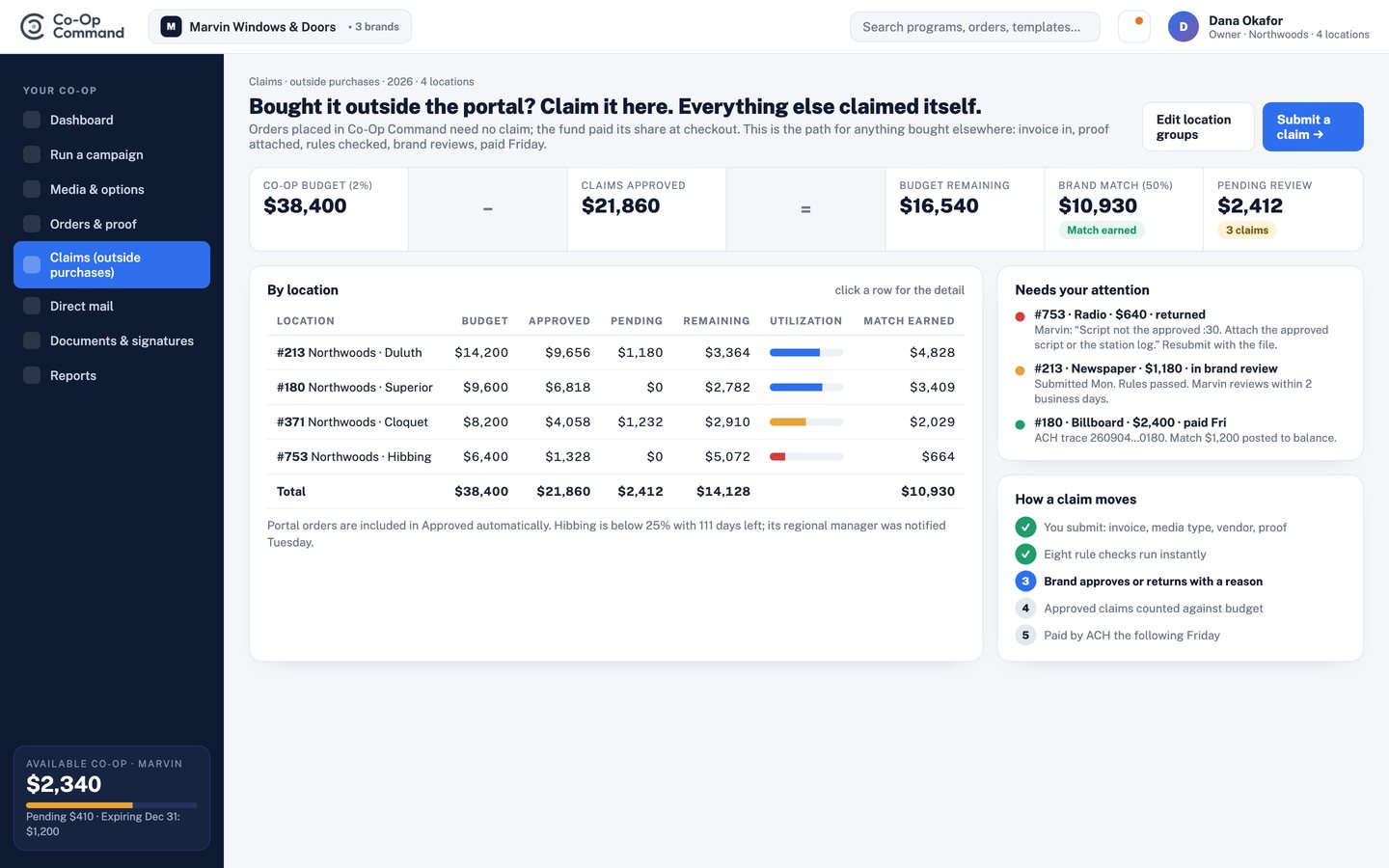
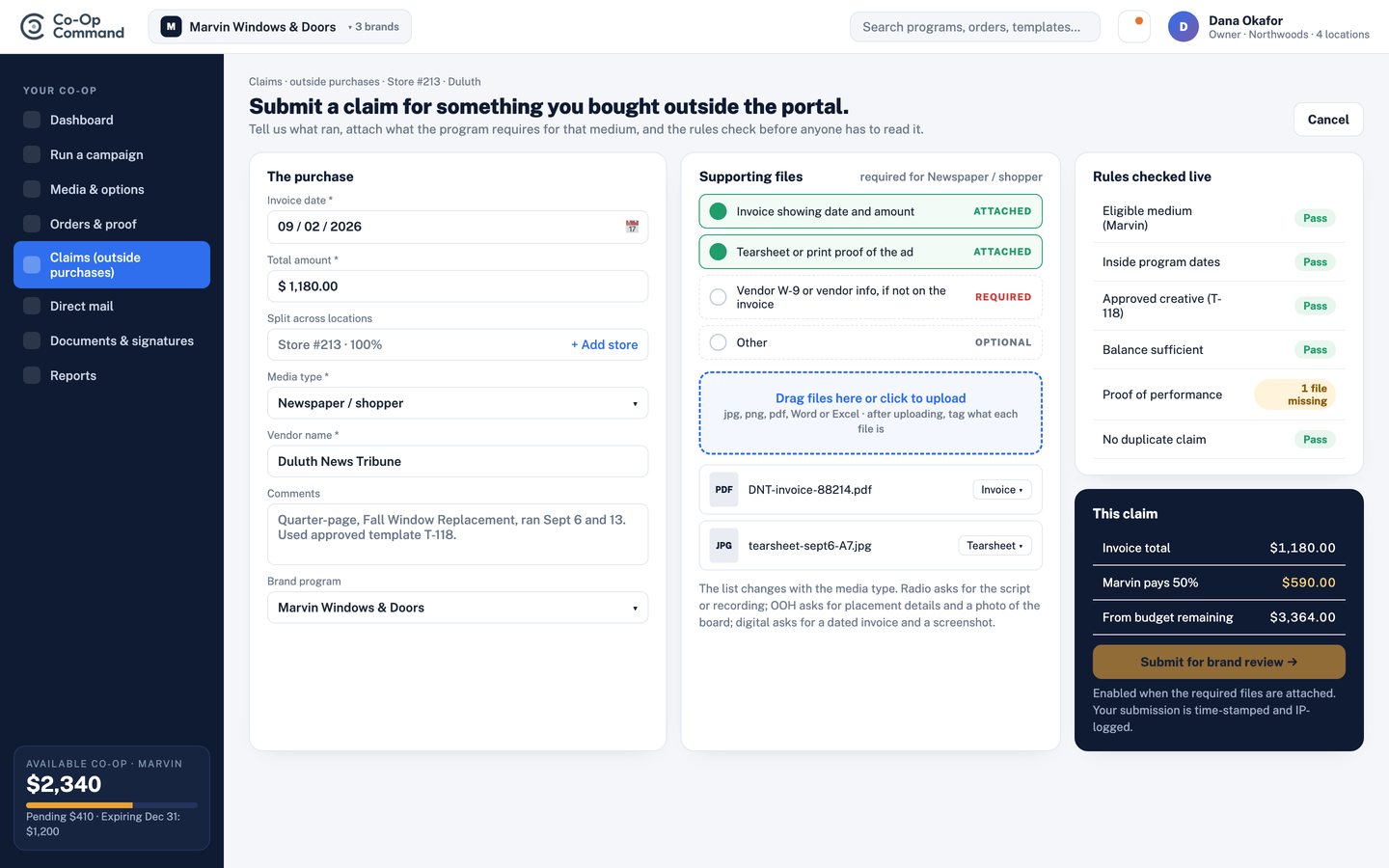
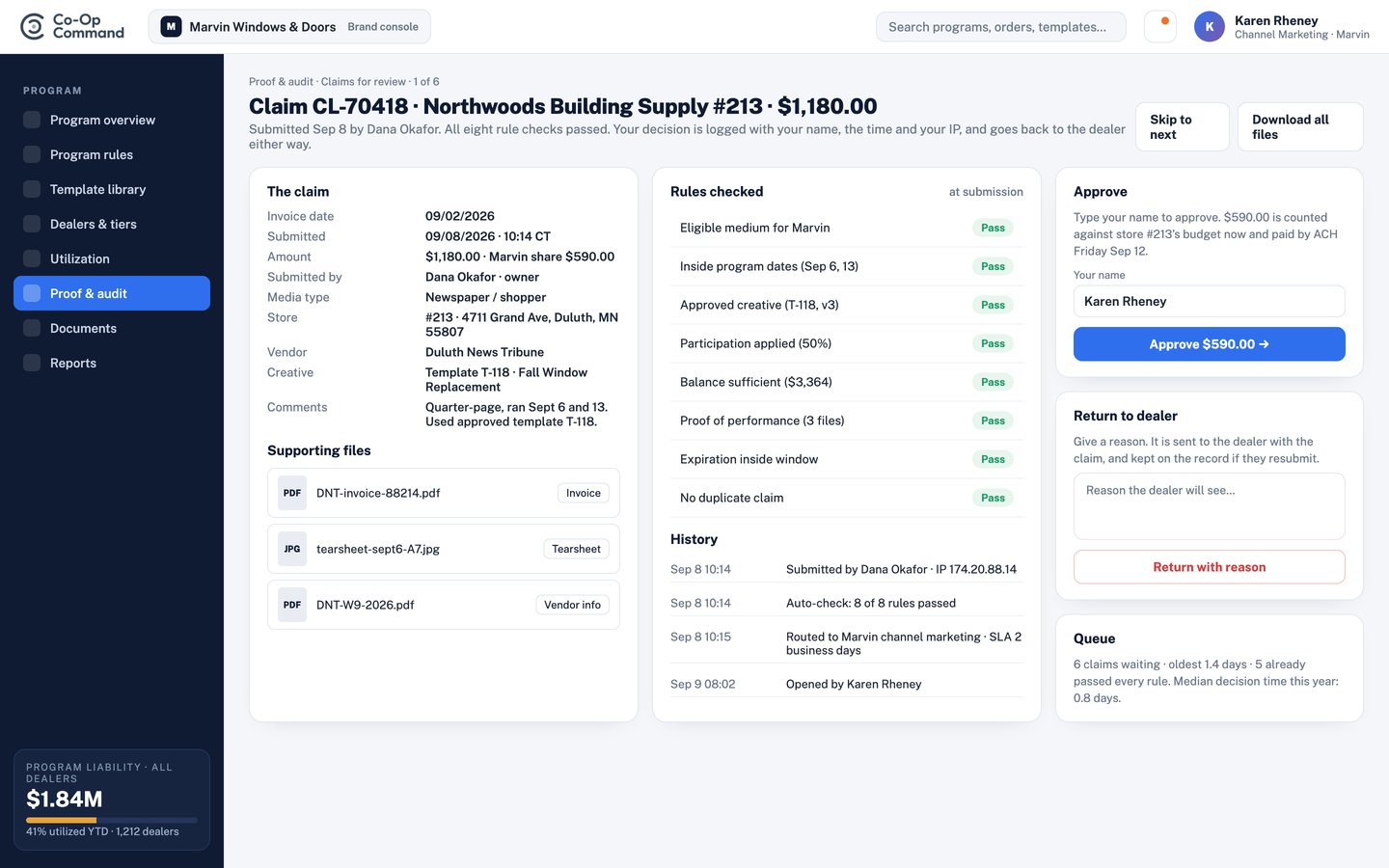
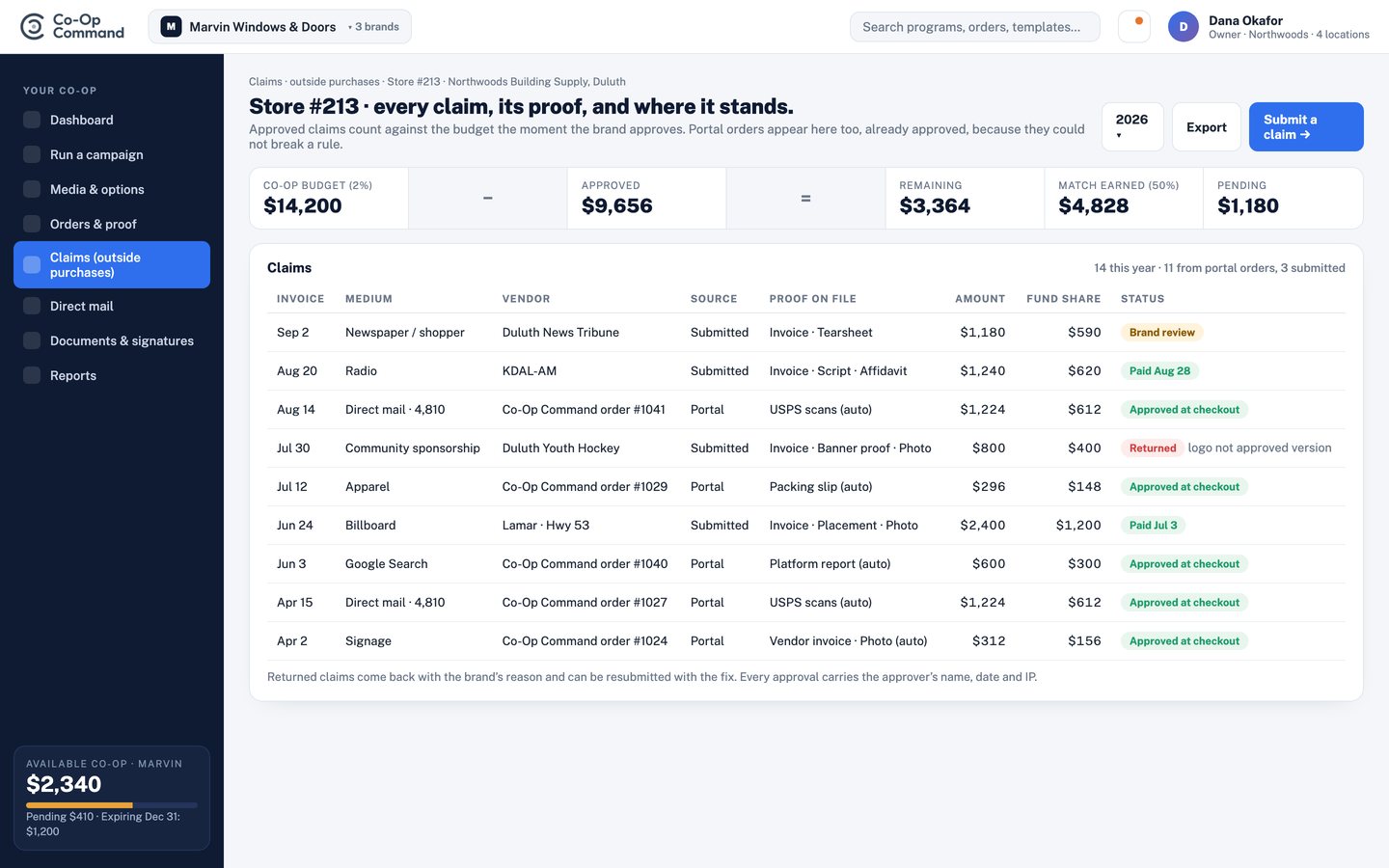
Anything bought in the portal never needs a claim. For anything bought elsewhere, this is the whole path: submit with the proof the medium requires, AI checks and pre-approves it against the rules, a human auditor confirms or overrides, and the fund pays Friday. Click any screen to enlarge.
| The old way still the industry standard | Co-Op Managers |
|---|---|
| Prior approval of every ad (81% of plans). Exists because dealers build their own creative. | Dealers use templates the brand approved during setup. The brand approved the creative once; the system enforces it every time. |
| Paid media invoice (91%) and tearsheet (89%). Exist because someone else placed the media. | The platform placed the buy. The invoice and the run confirmation are already attached to the transaction. |
| Printer's invoice, postal receipt, distribution affidavit. Exist because a third party printed and mailed the piece. | Print and mail run through the platform. Quantity, cost, and postal documentation are generated with the order. |
| Broadcast affidavit and online screenshots with impression counts. | Digital runs through connected ad accounts and reports natively. Radio affidavits are collected from the buy. |
| Notarized invoices and originals only (20% of plans). Fraud control on paper. | Nothing to notarize. The system record is the original. |
| Claim deadline, typically 60 days after the ad runs (85% of plans). | The claim completes the moment the ad runs. Windows remain only as an eligibility rule for when funds may be spent. |
Two decisions remain human, and they happen once.
Your brand team reviews and approves the creative templates, the product image library, and the copy rules during setup and whenever a new campaign is added. That is the approval. Everything built from it inherits it.
A location spending inside its own balance and below the self-serve limit does not wait for anyone. Above the limit, one manager signs off, with a two-business-day target. The purchase and the approval are the same event, so nothing is spent that was not approved and nothing approved goes unspent.
Because approval, purchase, and proof are one record, reimbursement is arithmetic.
Participation splits apply at checkout, so the dealer pays its share and the fund pays the brand's share at the moment of purchase. Where a program still reimburses after the fact, the payout file goes to your accounting system with the transaction, the proof, and the approval already linked. Your finance team posts it. Nobody matches it.
Outside purchases and audit. Where a dealer buys outside the portal, the claim is submitted in the portal with the proof uploaded. AI reviews the claim first — checking it against the program rules (eligible media, dates, participation and accrual limits, required proof) and the uploaded proof itself, and issuing an initial approve or return decision in seconds. A human auditor confirms every decision before payment goes out — full review on flagged or high-value claims, spot-checked on the rest. Anything returned goes back to the dealer with the reason. The proof itself is collected and verified, not just checked off — tearsheets and e-tearsheets for print, station affidavits and invoice codes for broadcast, screenshots with impression counts for digital, and postal or distribution documentation for direct mail. Every file stays attached to the claim and the fund ledger, so the same audit trail an incumbent administrator would ask a dealer to hand-assemble already exists automatically inside the portal. Approved claims are paid weekly by ACH to the dealer’s bank on file, with remittance detail, and every payment reconciles to the fund ledger and your reports. The audit trail stays on the claim.
Electronic claim submission did not exist in the 2018 plans. Today 280 programs list a dedicated e-claims address and 358 list a separate address for ad approvals. If yours is one of them, you are halfway there: your dealers already expect to submit digitally. Moving to Co-Op Managers means that inbox becomes a portal with a balance, and the approval address stops being needed at all.
A program review walks through your current rules, where the manual work is, and what disappears when the program runs on Co-Op Command.